Settings View
This view allows changing various system settings and will update the related .env files upon saving by using the related "Apply Changes" button of a section.
Host

Hostname (FQDN)
Specifies the hostname of the DCM's host-machine, needs to be set to a valid FQDN.
Host IP Address
The IP address of the DCM's host-machine.
Gateway IP Address
The Gateway IP of the subnet of the DCM's host-machine.
Netmask
Netmask specifying the subnet of the DCM's host-machine
GUI Port
Port over which the DCM webinterface is reachable, default is 8443.
Additional IPs
Comma-separated list of additional IPs or DNS-names the DCM webinterface should be reachable from.
For example: if proxying from another IP to the Host IP Address, that IP needs to be added here.
TUXGUARD Hosts
Comma-separated list of TUXGUARD License Worker hosts.
This should usually be set to its current default value (https://tlsv.tuxguard.com).
Certificates
see: TLS Certificates
DCM Settings
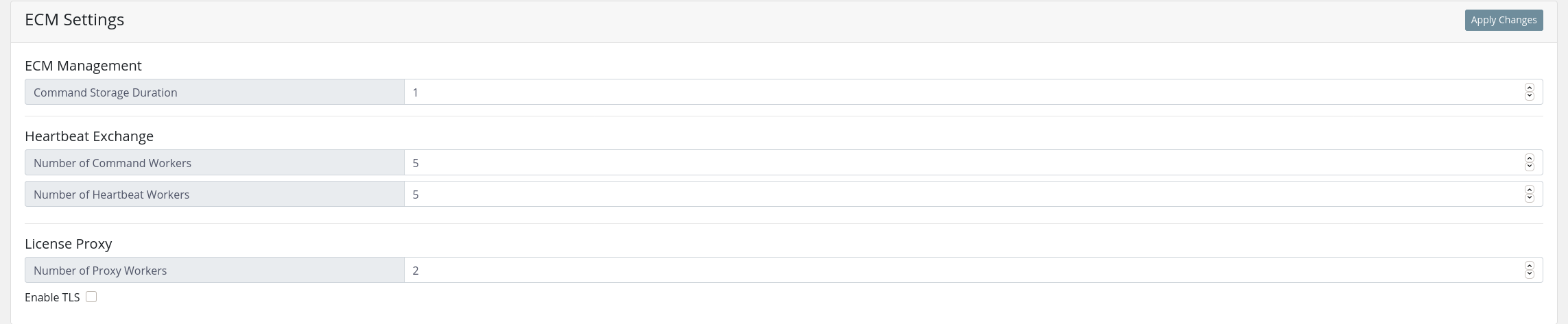
This section handles various settings related to services running on the DCM host.
DCM Management
Command Storage Duration
Specifies number of days a EPP command should be queued.
Heartbeat Exchange
Number of Command Workers
Specifies the number of worker processes handling queued EPP Commands.
Number of Heartbeat Workers
Specifies the number of worker processes handling queued EPP Heartbeats.
License Proxy
Number of Proxy Workers
Specifies the number of worker processes for the License Proxy.
Recommended: 1 per core
Enable TLS
Allows toggling usage of TLS for the connection to a TUXGUARD License Worker host.
SMTP Settings
Specifies the SMTP settings for sending alerts via mail.
Alert Settings
Specifies the alert settings. Intervals are used to re-create an alert after the specified value. Multiple recipients are separated via comma. E.g. recipient1@mail.com,recipient2@mail.com